Voice Timers While Cooking: Set Timers Without Touching Your Phone
Voice timers in Forktastic Cook Mode — set, name, stack, cancel by voice. Plus what happens when one fires while you're in another room.
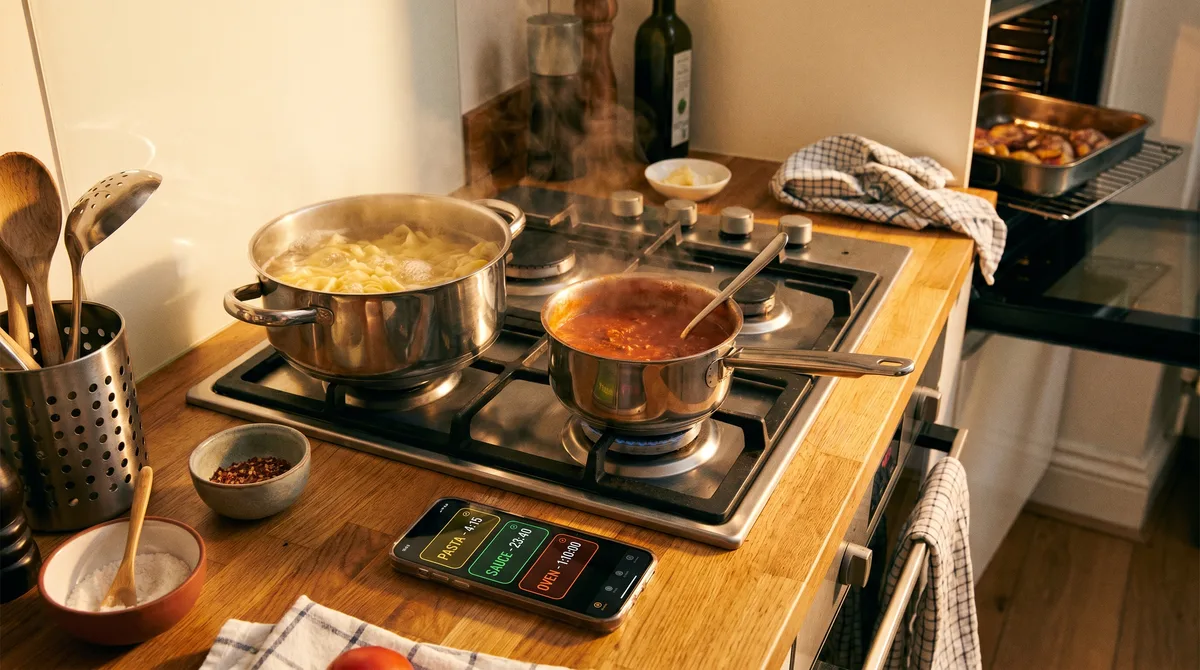
The voice command you'll use more than any other in Forktastic's Cook Mode is "Set a 10 minute timer." Once you've used voice timers for one full meal, the gesture of unlocking your phone to tap-tap a timer feels weirdly antique. This post covers the timer commands in detail — multiple concurrent timers, named timers, what happens when one fires, and how to recover when you forget you set one.
The basic command
"Set a [N] minute timer." That's it. N can be any whole number. The timer starts immediately, runs in the background, and announces itself out loud when it fires. The screen stays awake in Cook Mode so you can also see the count down visually.
Named timers — the key to stacking
"Set a 25 minute pasta timer." The optional name argument lets you distinguish multiple concurrent timers. Without the name, multiple timers all get default names ("Step 4 timer", "Step 5 timer") which works for short cooks but breaks down when you've got pasta on the stove, chicken in the oven, and a sauce reducing — three timers with default names is harder to track than three named ones.
Naming pattern: use the food, not the action. "Pasta timer" beats "Stove timer" because pasta is more memorable than what surface it's on.
How many concurrent timers?
Practically unlimited. We've run cooks with five concurrent timers (a roast, side starches, a sauce, a soup, dessert prep). They don't conflict; each is independent.
When a timer fires
- Forktastic announces the timer name out loud: "Pasta timer is done."
- A persistent banner appears on the phone's lock screen and inside Cook Mode.
- You can tap to dismiss, or say "Dismiss pasta timer" to clear by voice.
If you're in a different room when a timer fires, the announcement is loud enough to hear from the adjacent room (this is intentional — recipe timers solve problems exactly when they fire, not "you'll see it when you next look at your phone").
Checking active timers
"How long is left?" reads back every active timer's remaining time. Useful when you've set three and don't quite remember which one finishes first.
Cancelling timers
"Cancel timer" cancels the most recently set. "Cancel pasta timer" cancels by name. "Cancel all timers" clears everything (useful when you're stepping away from the cook).
What happens if you exit Cook Mode
Timers keep running even if you exit Cook Mode — they're system-level, not Cook Mode-local. If you started a 30-minute braise and you're stepping out for a walk, the timer fires whether the app is open or not. The announcement still happens.
What happens if the phone goes to sleep
iOS and Android handle background-running timers natively, so the timer continues. The announcement is delivered through the system notification surface, which is louder than an in-app sound.
What voice timers don't replace
They don't replace your kitchen's hardware timer if you have one you love. They sit alongside it. Many users keep a physical timer for the most critical thing (the bread, the steak) and use voice timers for the rest. No conflict.
Where to go next
For the full 14-command reference, voice commands. For the voice cook mode pillar, voice pillar. For multilingual timers, multilingual voice cook mode.