Hands-Free Cooking: The Complete Voice Cook Mode Guide
The complete guide to cooking hands-free in Forktastic — 14 voice commands in six languages, voice timers, TTS, and what makes it different from smart-speaker recipes.
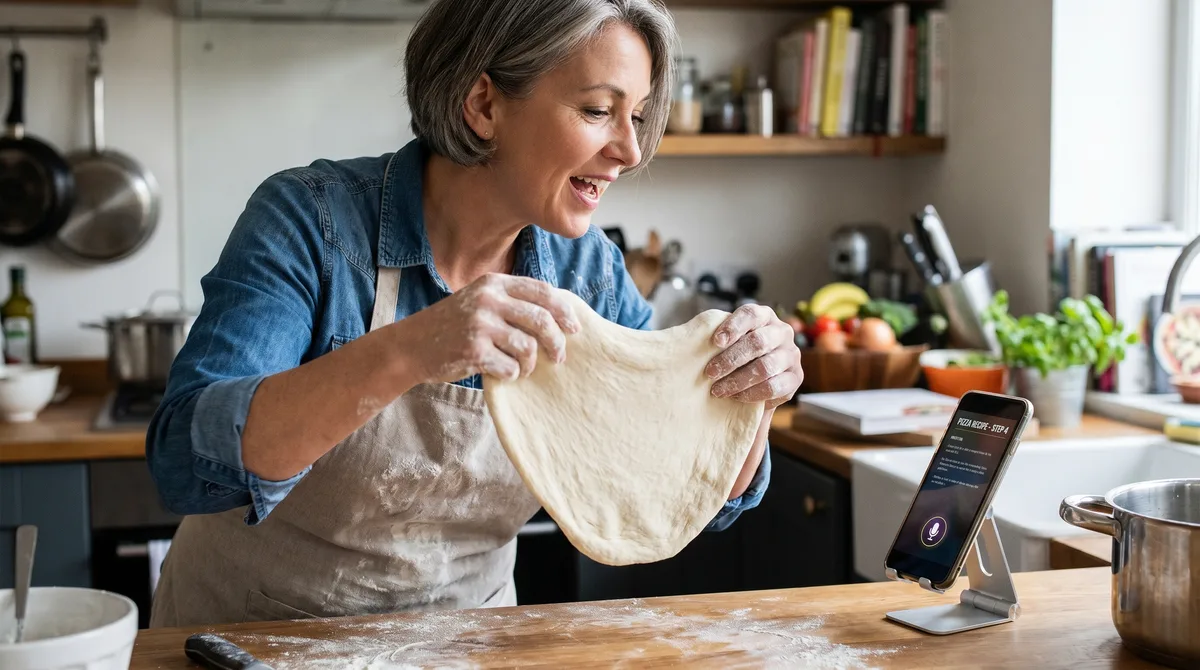
The screen on your phone is asleep again. Your hands are covered in flour and you can't unlock it. You jab at the screen with a knuckle, leave smudges, finally get it open, the recipe has scrolled away, and you're back to step three trying to find where you were. This is the universal recipe-app failure mode and almost every app on the market is content to live with it.
Voice cook mode is the fix. It's also one of the features people most often dismiss as a gimmick until they've used it for one full meal. After that they don't go back. This guide covers what voice cook mode actually does in Forktastic, how it compares to Alexa-style smart-speaker recipes, and why it's worth turning on even if you've never used voice control before.
What voice cook mode is
Cook mode is the in-recipe screen you switch to when you actually start cooking. It strips away navigation, surfaces only the step you're on, keeps the screen awake, and shows a big timer. Voice cook mode adds spoken commands on top of that — you can move between steps, set timers, ask what's next, and have the next step read aloud, all without touching the phone.
Forktastic ships 14 voice commands across six languages built into the app. There is no separate add-on, no companion app, no smart speaker required. The microphone activates when you enter cook mode and stays available until you exit. The complete 14-command reference is here — bookmark it or print the cheat-sheet.
The six languages, and why this matters more than people think
Voice cook mode works in English, Spanish, French, German, Portuguese, and Arabic. The bilingual cook is one of the most ignored user populations in this space — a Spanish-speaking grandmother teaching her grandkids to make tamales is the exact use case every food app says they care about, and almost none of them ship a voice mode in Spanish.
If you cook in Spanish, French, German, Portuguese, or Arabic, switch the app language in settings before you enter cook mode and the voice commands shift with you. The multilingual voice cook mode walkthrough goes deeper on each locale.
The killer feature: voice timers
"Set a 12 minute timer" is the command you'll use the most. It runs concurrently with the recipe — multiple timers can be active at the same time, named per step — and the app announces when each one fires. For braising, baking, and anything with overlapping cook times, this single command is worth the entire feature.
The voice timer how-to covers naming timers, stacking them, and what happens when one fires while you're talking to the app.
Read steps aloud (TTS)
For long, multi-step recipes — especially baking — having the step read aloud while your hands are working is a different cognitive experience than reading it off a screen. Forktastic's TTS reads the current step in the voice of the chosen locale. Tap once to start, tap again to pause. The TTS walkthrough.
Voice cook mode and accessibility
For users with low vision or limited fine motor control, voice cook mode is not a convenience feature — it's the accessibility layer that makes a recipe app usable at all. Forktastic's TTS pairs with the system VoiceOver / TalkBack stack and the voice commands stay active throughout the cook flow. The accessibility-focused walkthrough.
How this compares to Alexa Recipe Skills
The Alexa recipe skill ecosystem solves the same problem in a different shape. The smart-speaker model is hands-free by construction, but it's also locked to the kitchen the speaker lives in, requires the speaker to have heard you correctly across the room, and is tied to whatever recipe platform the skill is integrated with.
Forktastic's voice mode runs on the phone you already carry. The phone goes with you to the friend's kitchen, the cabin, the cousin's house for Thanksgiving. The recipes are yours, not the speaker manufacturer's. The honest comparison post.
Five small things that make voice cook mode work in practice
- The screen stays awake. No more re-unlocking every two minutes.
- The mic stays open in cook mode. You don't have to tap to talk.
- "What's next?" reads the next step. Confirm you're at the right place before moving on.
- Timers announce themselves out loud. You can be in another room when the 30-minute roast finishes.
- "Repeat that" replays the current step. Especially useful for translated recipes.
Setup, in 30 seconds
Open any recipe → tap "Cook" → grant mic permission once if it's the first time → that's it. You're in voice cook mode. Try a single voice command — "Set a 5 minute timer" works as a one-line verification that the system is working — and from then on it's the cooking surface you'll use by default.
Where to go next
If you want the full command reference, that's here. If you cook in a language other than English, jump to the multilingual guide. And if you're still picking between recipe apps, the 2026 honest comparison covers voice cook mode as one of the main differentiators.